Offline-First Hotel Technology: Why Your Check-In System Shouldn’t Need the Internet
Hotel internet connections fail. It happens during storms, during peak load, during ISP maintenance windows, and — with remarkable consistency — during the busiest check-in hours of the day. The question isn’t whether your internet will go down. It’s what happens to check-in when it does.
Most cloud-dependent hotel technology answers that question with: “We degrade gracefully.” In practice, “graceful degradation” means the system stops working and staff revert to paper. That’s not graceful. That’s a failure mode with a euphemistic name.
What offline-first actually means
Offline-first is an architecture principle, not a feature toggle. It means the system is designed to operate without internet connectivity as its primary mode — not as an exception. Cloud connectivity enhances the system (multi-property sync, analytics, remote management) but is never required for core operations.
The practical test: if you unplug the Ethernet cable from your check-in system at 6 PM on a Friday, can a guest still verify their identity, receive a room key, and check in? If the answer is “yes, identically to when we have internet,” the system is offline-first. If the answer is “mostly, but some things don’t work,” it’s cloud-first with offline fallback — a fundamentally different architecture.
Why hotels need offline-first
Three realities make offline-first non-negotiable for hospitality.
Connectivity is unreliable at the property level. Hotel IT infrastructure varies wildly. A new-build urban hotel might have redundant fiber. A resort property might have a single ISP with no failover. A rural property might have satellite internet with 500ms latency. The check-in system has to work equally well on all of them.
Peak check-in coincides with peak network load. Guests arrive, connect to WiFi, start streaming, and overload the network — at the same moment the front desk needs reliable connectivity for check-in. Cloud-dependent systems compete with guest traffic for bandwidth. An offline-first system doesn’t compete at all.
Cloud outages happen to everyone. Even AWS and Azure have had multi-hour regional outages. A hotel check-in system that depends on a cloud API call for every key delivery inherits the cloud provider’s downtime. An offline-first system inherits only the sync delay — core operations are unaffected.
How offline-first architecture works
The KeyShare Guest Experience Platform (GEP) implements offline-first through a two-tier architecture: GEP Local (on-premise) and GEP Cloud (multi-property management and analytics).
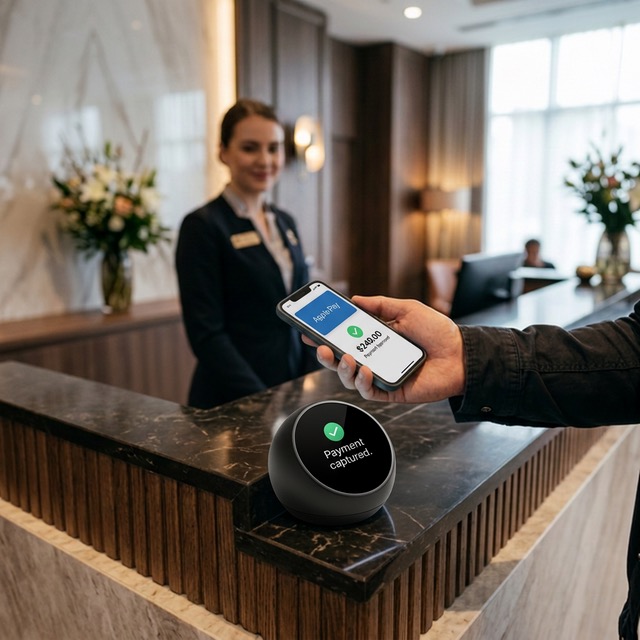
GEP Local runs on a mini-PC or server at the property. It contains a complete local database with reservation data, guest records, configuration, and credential state. The Puck connects to GEP Local via USB — no network involved. Identity verification, wallet key provisioning, payment capture, and loyalty enrollment all execute locally. They never require a round-trip to the cloud.
GEP Cloud provides the features that genuinely require connectivity: multi-property dashboards, cross-property analytics, remote configuration management, and sync between the local instance and the cloud. When connectivity is available, GEP Local syncs with GEP Cloud continuously. When connectivity drops, GEP Local continues operating independently. When connectivity returns, the sync catches up.
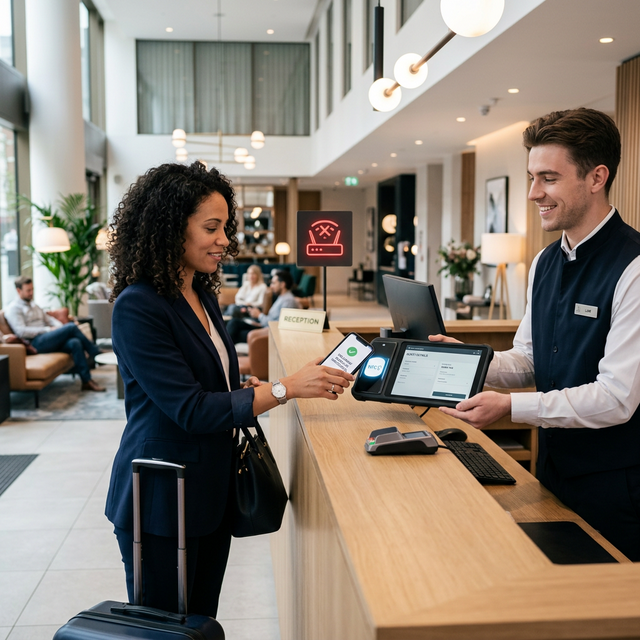
The critical design decision: the Puck communicates with GEP Local over USB, not over the network. This means the NFC interaction — the guest tapping their phone — is completely isolated from network conditions. Even if both the internet and the local network are down, the Puck and GEP Local continue to function.
What works offline (and what doesn’t)
Being precise about offline capabilities builds trust with IT directors evaluating the system.
Works offline (fully local):
- Identity verification (NFC + cryptographic signature check — all local computation)
- Wallet key provisioning (delivered via the same NFC session)
- Reservation lookup (against the local database, synced before the outage)
- Payment credential capture (queued for processing when connectivity returns)
- Compliance logging (stored locally, synced later)
- Staff UI and kiosk operation
Requires connectivity:
- Multi-property dashboard and analytics
- Remote configuration changes
- Real-time sync between properties
- AI Concierge conversation (LLM inference requires cloud — falls back to kiosk UI offline)
- New reservation creation from an OTA (the reservation needs to reach the property first)
The distinction is clear: everything that involves the guest physically standing at the Puck works offline. Everything that involves cross-property management or cloud intelligence requires connectivity.
The PMS sync question
Hotel IT directors ask: “If GEP is offline, how does it know about new reservations?”
The answer: GEP Local syncs reservation data from the PMS via the adapter layer. During normal operation, this sync happens continuously (or on a configurable interval). When connectivity drops, GEP Local operates against the last-synced dataset. Reservations that arrive during the outage are synced when connectivity returns.
For most outages (minutes to a few hours), this is invisible — the reservation was in the system before the outage. For extended outages, walk-in check-in still works (the guest verifies identity, staff creates a reservation locally), and the records reconcile when the sync resumes.
The architecture trades absolute real-time consistency for operational resilience. The same offline-first principle applies to building access control, where on-panel decisions ensure doors open during cloud outages. For a hotel check-in system — where the cost of downtime is guests waiting in the lobby — this is the right trade.